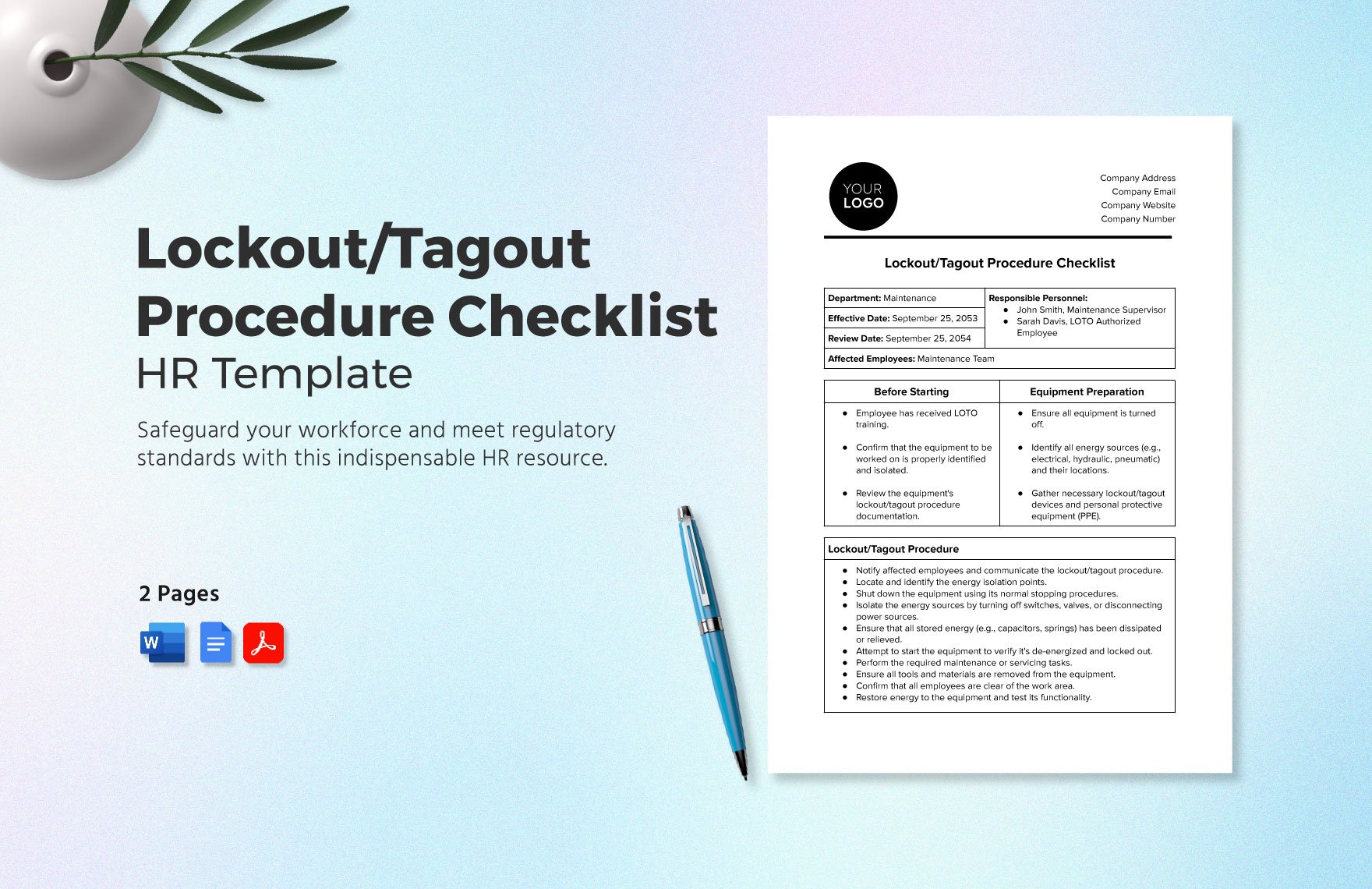
Every year, hundreds of workers suffer serious injuries—or worse—due to unexpected equipment startup during maintenance. The root cause? A missing or improperly executed lockout tagout checklist form. Without a structured, standardized approach, even experienced technicians can overlook a single step that compromises safety. A comprehensive LOTO checklist isn’t just paperwork—it’s a frontline defense against electrocution, crushing injuries, and fatalities.
This guide walks through every critical component of an effective lockout tagout checklist form, offering real-world examples, common pitfalls, and practical steps to implement a system that meets OSHA standards and protects your team.
Why a Lockout Tagout Checklist Form Is Non-Negotiable
A lockout tagout checklist form is the backbone of any energy control program. It transforms abstract safety rules into actionable, traceable steps. Without it, reliance on memory or informal procedures increases the risk of human error—especially during shift changes or emergency repairs.
Consider this: A maintenance team at a food processing plant bypassed a formal checklist because “we’ve done this a hundred times.” One technician assumed a hydraulic line was depressurized. It wasn’t. The resulting release crushed his hand. Investigations revealed no documentation proving isolation steps were verified.
A checklist prevents this. It standardizes: - Equipment identification - Energy source isolation - Lock and tag application - Verification of zero energy - Release procedures
When every step is documented and signed, accountability increases, and assumptions are replaced with evidence.
Essential Elements of a LOTO Checklist Form
A high-quality lockout tagout checklist form isn’t just a list of boxes to tick. It must be engineered for clarity, compliance, and real-world usability. Below are the core components every form should include:
1. Equipment Identification Clearly state the machine or system being serviced. Use both the official name and ID number. Example: Conveyor System #4, Line B – Packaging Station.
2. Authorized Personnel List the names and roles of authorized employees performing the lockout. Include shift details if relevant.
3. Energy Source Inventory Identify all energy types involved: electrical, pneumatic, hydraulic, thermal, chemical, gravitational. For each, note the isolation point (e.g., circuit breaker #12, valve E-7).
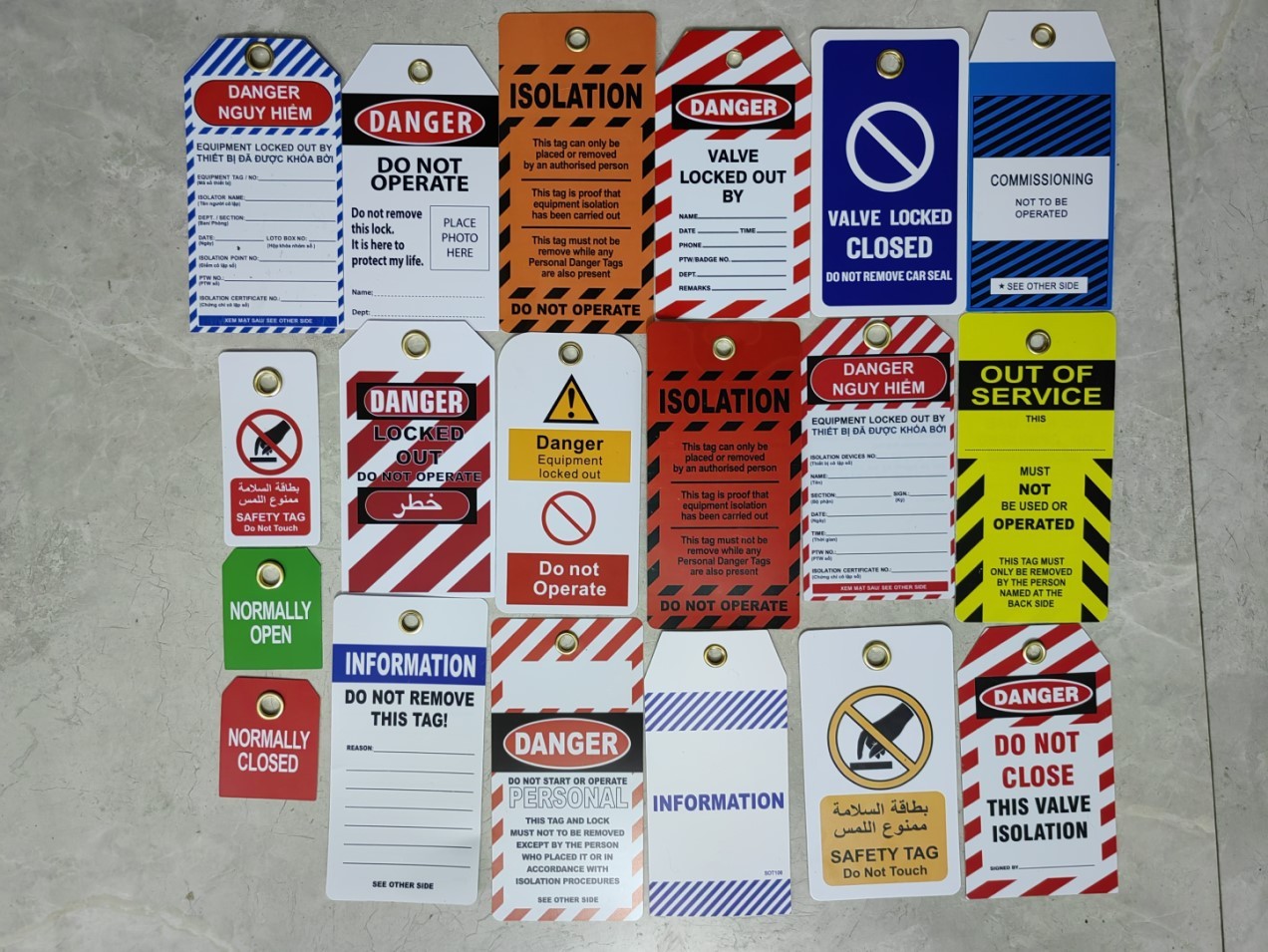
4. Lock and Tag Details Record lock IDs, tag IDs, and the name of the person applying each. This creates a chain of control and prevents unauthorized removal.
5. Verification of Isolation A dedicated section for confirming zero energy state. This should include: - Use of test instruments - Visual inspection of disconnections - Attempts to restart (with controls blocked)
6. Duration and Scope Define the expected work duration and specific tasks (e.g., “Replace drive belt,” “Inspect motor housing”).
7. Clearance and Re-energization Steps to confirm tools are removed, guards reinstalled, and personnel clear before removing locks and restoring power.
Real-World LOTO Checklist Example
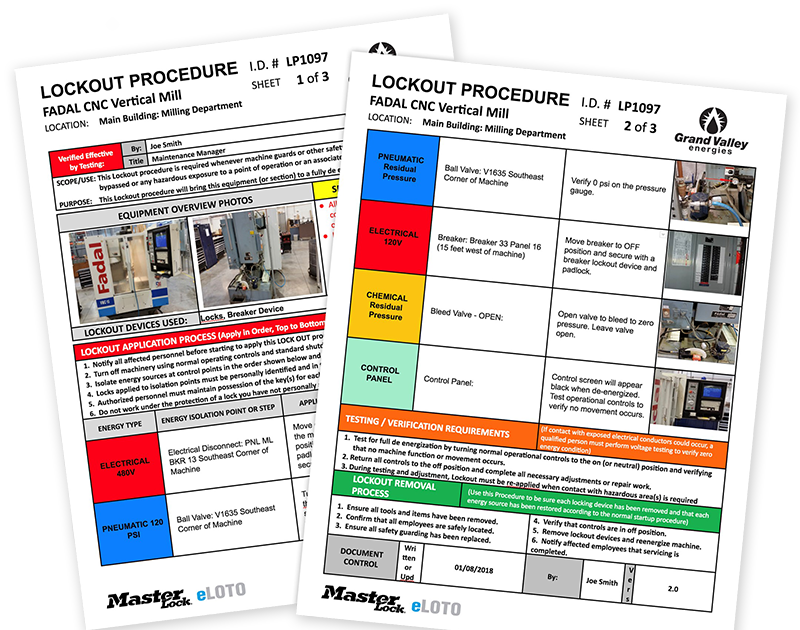
Below is a simplified but fully functional example based on a manufacturing maintenance scenario:
Equipment: CNC Lathe Machine – Unit L-09 Work Request: Replace spindle motor bearings Authorized Technician: James Rivera (Lock ID: JR-224) Date/Time Started: 04/18 08:15 AM
| Step | Action | Verified (Y/N) | Initials |
|---|---|---|---|
| 1 | Notify operations team of downtime | Y | JR |
| 2 | Shut down machine via control panel | Y | JR |
| 3 | Isolate main power at breaker #7A | Y | JR |
| 4 | Close and lock hydraulic valve V-3 | Y | JR |
| 5 | Apply personal lock and tag | Y | JR |
| 6 | Attempt startup to verify isolation | Y | JR |
| 7 | Bleed residual pressure in lines | Y | JR |
| 8 | Confirm zero energy with multimeter | Y | JR |
| 9 | Begin repair work | — | — |
| 10 | Reinstall guards, clean work area | Y | JR |
| 11 | Remove lock after final inspection | Y | JR |
| 12 | Notify team, restore power | Y | JR |
This form was signed, archived, and reviewed during the weekly safety audit—demonstrating full compliance and operational discipline.
Common Mistakes That Undermine LOTO Checklists
Even with a form in place, inefficiencies and oversights can render it useless. Watch for these frequent errors:
❌ Using a Generic Template One-size-fits-all checklists fail to capture equipment-specific risks. A forklift’s LOTO process differs vastly from a boiler system. Customize for each machine.
❌ Skipping Verification Steps Assuming the machine is de-energized without testing is a leading cause of accidents. Always document voltage checks and attempted startups.
❌ Allowing Group Lockout Without Clear Leadership In group maintenance, a designated authorized employee must oversee the process. Without one, confusion over who removed which lock can be deadly.
❌ Poor Form Accessibility If the checklist is buried in a digital system with no offline backup, field technicians may skip it during urgent repairs. Keep printed copies at equipment stations.
❌ Failing to Train on the Form Itself Training should include how to use the form, not just the LOTO procedure. Workers must understand why each field matters.
How to Implement a LOTO Checklist System
Creating a checklist is only step one. Implementation determines its real-world effectiveness.
Step 1: Conduct Energy Source Audits For every machine, document all potential energy sources. Involve maintenance, safety officers, and equipment operators.
Step 2: Develop Machine-Specific Checklists Use audit data to build tailored forms. Include diagrams if helpful (e.g., valve locations, circuit IDs).

Step 3: Train and Certify Employees Only authorized employees should perform lockouts. Training must cover: - Reading the checklist - Applying locks/tags correctly - Testing for zero energy - Handling shift turnover
Step 4: Audit and Revise Quarterly Review completed checklists monthly. Look for inconsistent entries, skipped steps, or unclear instructions. Revise forms based on feedback and incidents.
Step 5: Integrate with Permit-to-Work Systems Link LOTO forms to work permits. No permit = no work. This adds administrative control to physical safeguards.
Digital vs. Paper LOTO Checklists: What Works Best?
The shift to digital forms is growing—but is it right for your operation?
| Factor | Paper Checklists | Digital Checklists |
|---|---|---|
| Accessibility | Always available (no power needed) | Requires device and battery |
| Real-Time Tracking | No | Yes – enables supervisor alerts |
| Audit Trail | Manual filing, risk of loss | Automatic cloud storage |
| Integration | None | Can sync with CMMS, ERP systems |
| Speed of Use | Fast for trained users | May require login/training |
Best Practice: Use paper in high-risk, low-tech environments (e.g., foundries, outdoor sites). Use digital in facilities with strong IT infrastructure and a need for analytics.
Tools like iAuditor, SafetyCulture, and FRAMINGHAM LOTO Pro offer mobile-friendly digital checklist platforms with barcode scanning and automated reminders.
Top 5 LOTO Checklist Templates & Tools
Choose a template or platform that supports customization, compliance, and ease of use:
- OSHA 3120 Template (PDF)
- Free, government-approved, minimal customization. Best for small businesses needing a baseline compliant form.
- SafetySuite LOTO Module
- Cloud-based, integrates with JSA and incident reporting. Ideal for mid-to-large manufacturers with existing EHS systems.
- iAuditor by SafetyCulture
- Mobile app with real-time reporting, photo uploads, and analytics. Excellent for distributed teams and remote audits.
- EHS Insight Lockout/Tagout Builder
- Drag-and-drop form creator with regulatory logic. Great for facilities managing multiple equipment types.
- Custom In-House Template (Word/Excel)
- Full control, printable, editable. Recommended only if paired with version control and formal review cycles.
Avoid templates that lack fields for energy source documentation or verification steps—they won’t pass OSHA scrutiny.
Closing the Gap: From Form to Culture
A lockout tagout checklist form is only as strong as the culture that enforces it. The best checklists are not filed away—they’re referenced, reviewed, and respected. They turn safety from a policy into a practice.
Start today: Pull your current LOTO form. Does it clearly identify energy sources? Is verification mandatory? Can a new technician follow it without help? If not, revise it. Train your team. Audit its use. Make it a living document—not just another piece of paper.
Because when the power comes back on, the only thing that should restart is the machine.
Frequently Asked Questions
What is the purpose of a lockout tagout checklist form? It ensures all energy isolation steps are completed, documented, and verified before maintenance, preventing accidental startup and injury.
Who should use a LOTO checklist? Authorized employees trained in energy control procedures, typically maintenance technicians and machine operators during servicing.
Can a LOTO checklist be digital? Yes, provided it’s accessible, tamper-proof, and includes all required OSHA elements like signatures and verification steps.
How often should LOTO checklists be reviewed? At least annually, or after any incident, near-miss, or equipment modification.
Are checklists required by OSHA? While OSHA doesn’t mandate a “checklist” by name, 29 CFR 1910.147 requires documented procedures and training—checklists are the most effective way to meet this.
Can one checklist cover multiple machines? No. Each machine or equipment type requires a unique checklist reflecting its specific energy sources and isolation points.
What happens if a LOTO checklist is not followed? Non-compliance risks severe injuries, OSHA fines (up to $15,625 per violation), and potential legal liability.
FAQ
What should you look for in Lockout Tagout Checklist Form: A Complete Safety Guide? Focus on relevance, practical value, and how well the solution matches real user intent.
Is Lockout Tagout Checklist Form: A Complete Safety Guide suitable for beginners? That depends on the workflow, but a clear step-by-step approach usually makes it easier to start.
How do you compare options around Lockout Tagout Checklist Form: A Complete Safety Guide? Compare features, trust signals, limitations, pricing, and ease of implementation.
What mistakes should you avoid? Avoid generic choices, weak validation, and decisions based only on marketing claims.
What is the next best step? Shortlist the most relevant options, validate them quickly, and refine from real-world results.