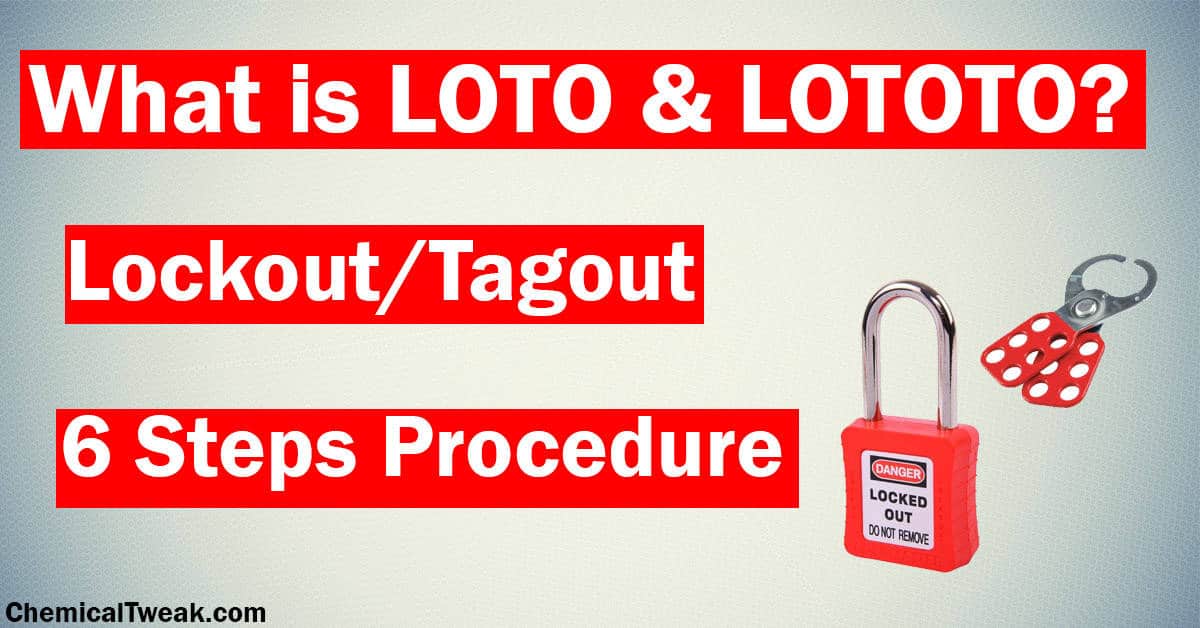
Most lockout tagout procedures PDFs gathering dust in safety binders don’t prevent accidents. They’re outdated, too generic, or built for compliance checklists—not real-world use. Workers skip steps because the documents don’t match their machines, workflows, or risks. That’s when injuries happen.
A truly effective lockout tagout procedures PDF isn’t just a formality. It’s a living document: specific, visual, and practical. It turns abstract safety rules into actionable steps that machinists, maintenance crews, and supervisors can follow without guesswork.
This guide cuts through the clutter. You’ll learn how to create or evaluate a lockout tagout procedures PDF that actually works—complete with templates, workflow integration tips, and red flags to avoid.
What a Lockout Tagout Procedures PDF Should Include
A high-impact LOTO procedures PDF isn’t a carbon copy of OSHA regulations. It translates those rules into machine-specific actions. Here’s what must be inside:
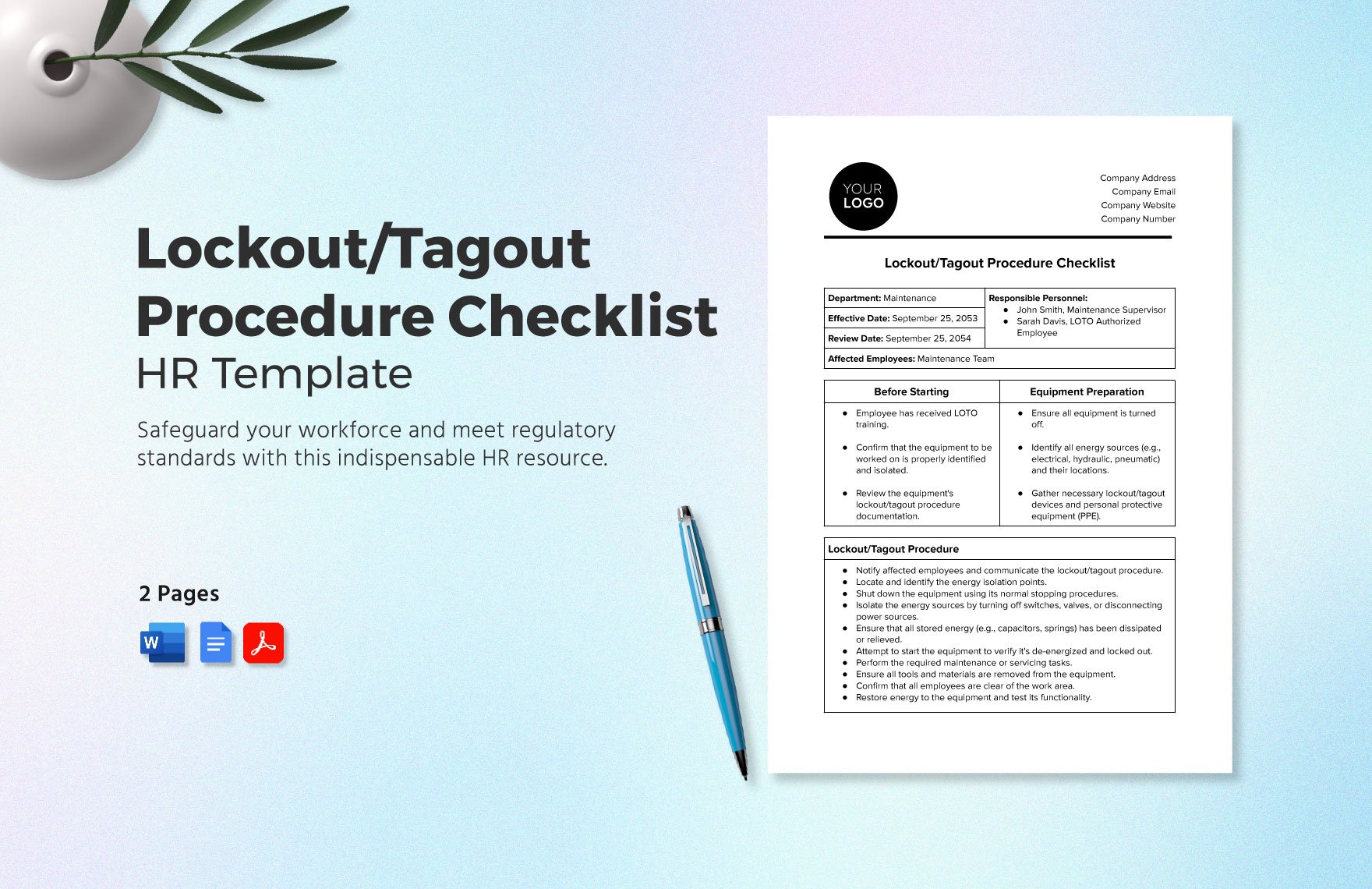
1. Machine or Equipment Identification Every procedure starts with a clear ID: make, model, serial number, location. Example: “Hydraulic Press – Model HP-450, Line B, South Facility.” Without this, confusion spreads. Two presses might look identical—until one has an auxiliary air line others don’t.
2. Energy Types Present List every energy source:
- Electrical (voltage level)
- Pneumatic
- Hydraulic
- Thermal
- Gravitational (e.g., suspended parts)
- Chemical
Real mistake: A maintenance team forgot a press’s nitrogen accumulator (hydraulic-pneumatic hybrid), leading to sudden release. Energy types weren’t documented.
3. Authorized Personnel List Name roles, not just “maintenance.” Include shift supervisors or external contractors if they interact with the machine.
4. Step-by-Step Isolation Steps Use numbered, active verbs:
- Notify operations that maintenance is starting.
- Shut down the machine using the emergency stop.
- Open disconnect switch “DS-7,” located behind panel access door.
- Insert lock on DS-7 using personal safety lock (red, #004).
- Depressurize hydraulic lines via bleed valve VR3 (wear gloves).
5. Verification of Zero Energy
This isn’t optional. Include: - “Attempt to start” test (after lockout) - Voltage testing with rated meter - Visual inspection of disconnected lines
Weak procedures skip verification. Strong ones demand it.
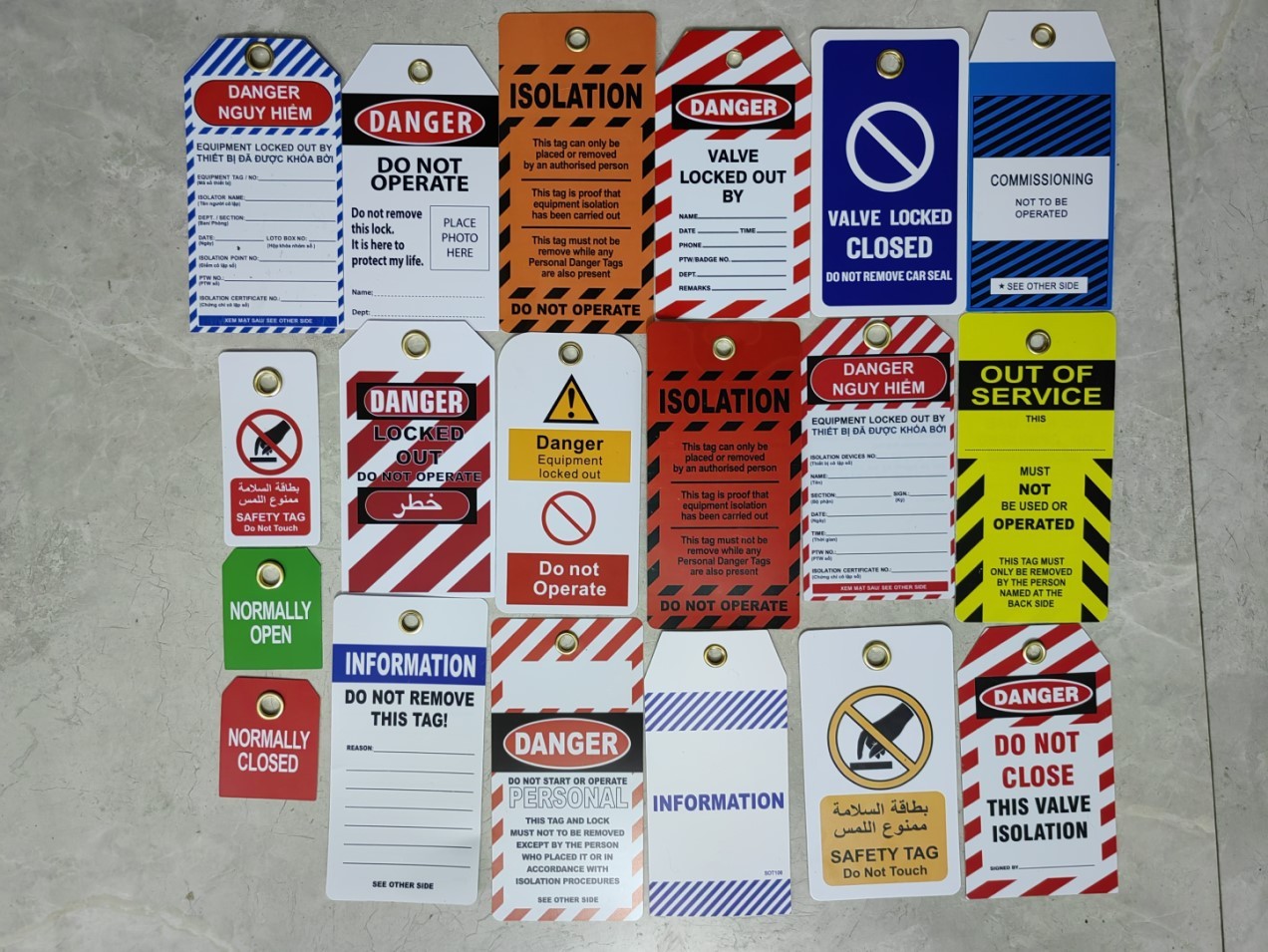
6. Tag Elements Tags aren’t just labels. They must show:
- Who applied the lock
- Date and time
- Reason for lockout
- Contact info
How to Customize a LOTO Procedures PDF for Your Facility
Off-the-shelf templates fail because they’re one-size-fits-all. Real safety needs customization. Here’s how to adapt:
Step 1: Conduct an Energy Audit Walk every machine. Map energy sources with diagrams. Tool tip: Use a digital camera or tablet to annotate photos during walkthroughs.
Step 2: Involve Frontline Workers The technician who services a CNC lathe knows its quirks. Draft procedures with them—not just safety officers.
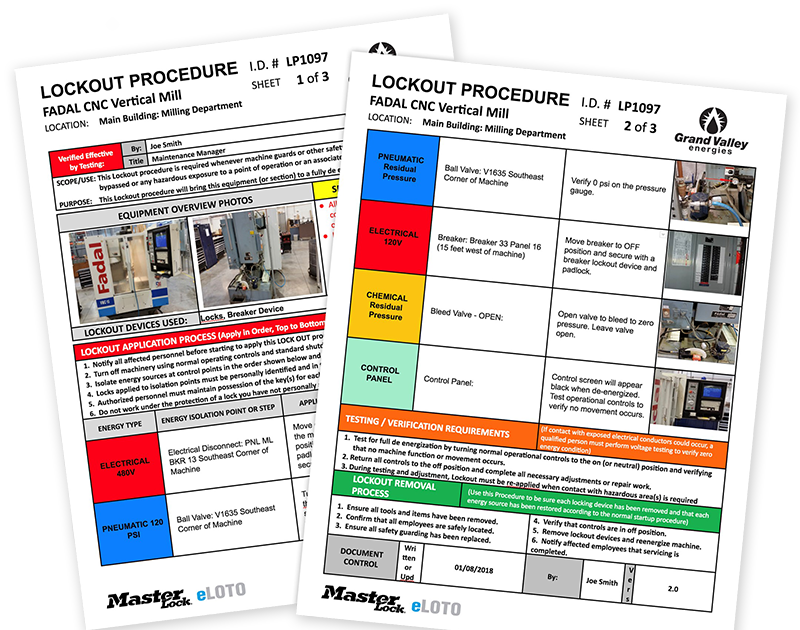
Step 3: Add Visual Aids A good LOTO procedures PDF includes:
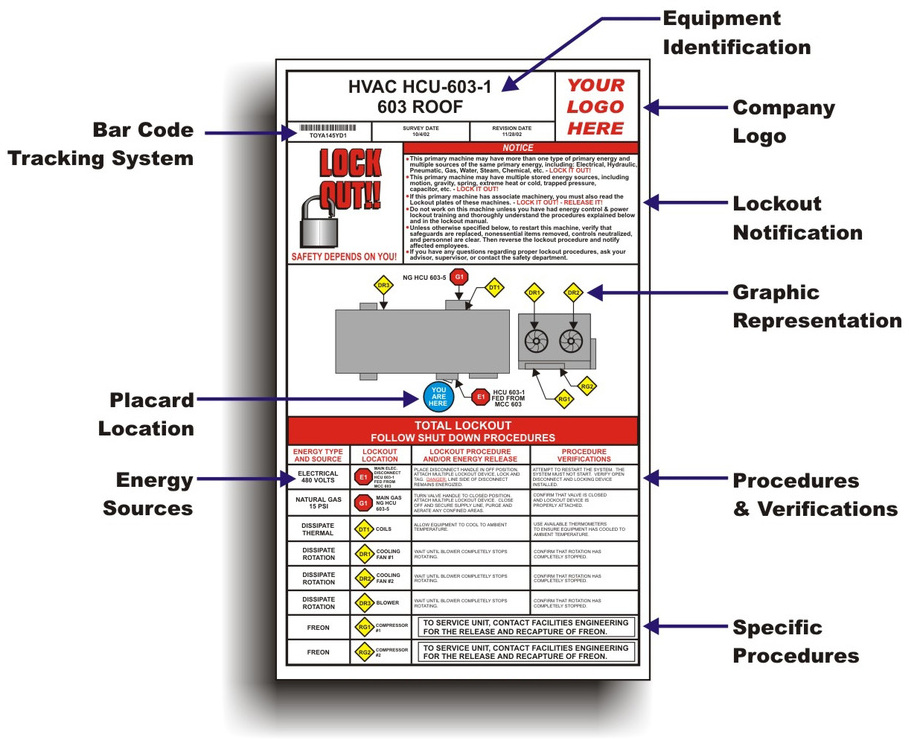
- Color-coded lock locations
- Equipment schematics
- Photos of disconnect points
- Icons for energy sources (bolt for electrical, droplet for hydraulic)
Text-heavy PDFs lose attention. Visuals speed comprehension under stress.
Step 4: Version Control and Review Dates Label the PDF: “Rev 3.1 – Last Updated: March 2024.” Set automatic reviews every 12 months. Machines change. Procedures must too.
Common Mistakes in Lockout Tagout PDFs (And How to Avoid Them)
Even compliant companies make dangerous oversights. Watch for these:
Mistake #1: Using Generic Language “Turn off the power source.” Better: “Open the 480V circuit breaker labeled ‘MILL-FEED-3’ in Panel R2.”
Vagueness kills precision. Avoid it.
Mistake #2: Skipping Group Lockout Scenarios What happens when 5 people work on one machine? Your PDF must define: - Primary authorized employee - Use of group lockout boxes - Coordination steps before re-energizing
Real case: A worker re-energized a conveyor because he didn’t know another technician was still inside the guard. Clear group procedures could have prevented it.
Mistake #3: No Emergency Unlock Steps Emergencies happen. Your PDF should outline:
- How to contact the lock owner
- Supervisor override protocols
- Required sign-off after emergency release
Never leave this to improvisation.
Mistake #4: Ignoring Stored Energy A robotic arm might be powered off—but its springs or counterweights still hold energy. Fix: Add specific steps to safely release or block stored energy.
5 Real-World LOTO Procedures PDF Templates (Free & Editable)
Not all templates are created equal. Below are five reliable sources offering professional, customizable LOTO procedures PDFs:
| Source | Type | Customization Level | Best For |
|---|---|---|---|
| OSHA.gov | Government Template | Medium | Baseline compliance, public facilities |
| Creative Safety Supply | Industry-Specific | High | Manufacturing, warehouses |
| Seton.com | Pre-Formatted Forms | Low-Medium | Quick rollout, small teams |
| SafetySkills | Interactive PDFs | High | Training integration, LMS use |
| EHS Docs (EHS Daily Advisor) | Editable Word/PDF | Full | Corporate customization, audits |
Pro tip: Download one, then overlay your facility’s photos and lock locations. Turn generic into actionable.
Integrating Your LOTO PDF Into Daily Workflows
A perfect PDF is useless if no one uses it. Integration is key.
Print and Post Strategically Keep laminated versions at machine stations. Mount near control panels. Not in the office.
Link to Work Orders In CMMS (Computerized Maintenance Management Systems), attach the LOTO PDF to every maintenance task for that machine.
Train Using the PDF During LOTO training, hand trainees the actual PDF. Have them walk through a mock lockout using the document.
Audit Against the PDF During safety audits, grab the PDF and watch a technician perform the steps. Is there a gap? Update the document.
One plant reduced LOTO violations by 68% just by posting PDFs at each machine and auditing monthly.
Digital vs. Paper LOTO Procedures PDFs: What Works Best?
The debate isn’t digital vs. paper—it’s accessibility vs. reliability.
Paper Pros:
- Works during power outages
- No login delays
- Tamper-evident with physical posting
Digital Pros:
- Instant updates pushed to tablets
- Searchable across 200 machines
- Integrates with training records
Hybrid approach wins. Use digital master copies (cloud-stored, version-tracked) and printed station copies (replaced quarterly).
Avoid password-locked PDFs on shared drives. If a night-shift technician can’t open it, it’s not safety—it’s bureaucracy.
How to Audit Your Current Lockout Tagout Procedures PDF
Don’t wait for an OSHA inspector. Audit yourself quarterly.
Use this checklist:
- [ ] Every machine has a corresponding PDF
- [ ] Energy sources are fully listed
- [ ] Steps are sequential and specific
- [ ] Verification step is included
- [ ] Document is less than 12 months old
- [ ] Frontline workers helped create it
If you check fewer than four, rewrite it now.
One refinery discovered 40% of its LOTO PDFs referenced obsolete lock points after a routine audit. That wasn’t just outdated—it was dangerous.
Final Step: Make It Actionable, Not Just Compliant
A lockout tagout procedures PDF that sits unused is a liability. One that’s clear, visual, and integrated saves lives.
- Start today:
- Pull one LOTO PDF from your system.
- Walk to the machine it covers.
- Try to follow every step exactly as written.
If you hesitate, get confused, or can’t find a lock point—you’ve found a flaw. Fix it. Then repeat for every high-risk machine.
Safety isn’t about checking boxes. It’s about making sure the person turning off the power knows exactly how—and why.
Frequently Asked Questions
What is the OSHA standard for lockout tagout procedures? OSHA 29 CFR 1910.147 outlines the control of hazardous energy. It requires written procedures, employee training, and periodic inspections for all equipment.
Can a LOTO procedure be in digital format? Yes, if it’s accessible when needed. Tablets, kiosks, or offline PDFs on maintenance devices are acceptable—provided workers can open and read them during servicing.
How often should a LOTO procedures PDF be reviewed? At least annually, or whenever equipment changes, after an incident, or when new hazards are identified.
Who can create a lockout tagout procedures PDF? Authorized employees trained in energy control, typically with input from maintenance staff and safety officers. Outside consultants can assist but should involve on-site workers.
Do all machines need a LOTO procedure? Not all—but any machine with hazardous energy that requires servicing or maintenance beyond normal operation does.
What’s the difference between lockout and tagout? Lockout uses a physical lock to prevent startup. Tagout uses a warning tag. Lockout is preferred; tagout alone is only allowed if the device can’t be locked.
Can multiple people use the same LOTO PDF for one machine? Yes, but group lockout procedures must be included. Each worker applies their own lock to a group hasp or lockout box.
FAQ
What should you look for in Lockout Tagout Procedures PDF Guide for Safety Compliance? Focus on relevance, practical value, and how well the solution matches real user intent.
Is Lockout Tagout Procedures PDF Guide for Safety Compliance suitable for beginners? That depends on the workflow, but a clear step-by-step approach usually makes it easier to start.
How do you compare options around Lockout Tagout Procedures PDF Guide for Safety Compliance? Compare features, trust signals, limitations, pricing, and ease of implementation.
What mistakes should you avoid? Avoid generic choices, weak validation, and decisions based only on marketing claims.
What is the next best step? Shortlist the most relevant options, validate them quickly, and refine from real-world results.